Engineering with agents

AI Tools in Practice

Using agentic systems in everyday engineering work.

Part I

See it work

Part I — See it work

You probably know AI as a chat window

ChatGPT · GPT
generative pre-trained transformer, the T is Part II · CLI: Codex
Claude
after Claude Shannon, information theory · CLI: Claude Code
Gemini
the twins: Brain and DeepMind, one lab · CLI: Gemini CLI

Part I — See it work

What's a model

A model is a frozen set of numbers. Each message you send starts a turn, and every request in it resends the history.

Part I — See it work

Context window

The model sees one context window, and it fills up.

one context window · finite · fresh thread, sharp answer

Part I — See it work

Agents

Agents can use tools.
Give the model tools, and it can act, and then run checks on its own work.

the chat you know, plus tools and a feedback loop

Part I — See it work

The whole agent on one screen

messagesmodeltool call?yes · run the tool, append the resultno · exit
# tools: read_file, run_command (asks before running) while True: reply = model(messages, tools) messages.append(reply) if reply.tool_calls: for call in reply.tool_calls: messages.append(tool_result(call.id, run_tool(call))) continue break # the stop condition
a model predicts text · in a loop with tools and a stop condition, it can run its own checks

LIVE · the one-screen agent runs against any OpenAI-compatible local server · uv run --with requests harness_skeleton.py

Part I — See it work

AI is not just a thing that you stuff into your apps.
AI is a thing that changes how you use a computer.

one button · one app · one feature
Inbox
Sent
Drafts
Archive
Re: flaky CI test · 14 messages
Thread with the platform team about the race in the shared map…
✦ Summarize with AI
you ask · the agent operates the machine
❯ the pricing hero shifts on mobile. find it and fix it
read tests/visual/pricing.spec.ts · read src/hero.css
edit src/hero.css · reserve the image box
run visual tests · 12 passed
run visual tests, 3 viewports · 36 passed
❯ open the PR with the diff and the screenshots

It is not a feature to integrate. It is a tool you operate.

Part I — See it work

One prompt

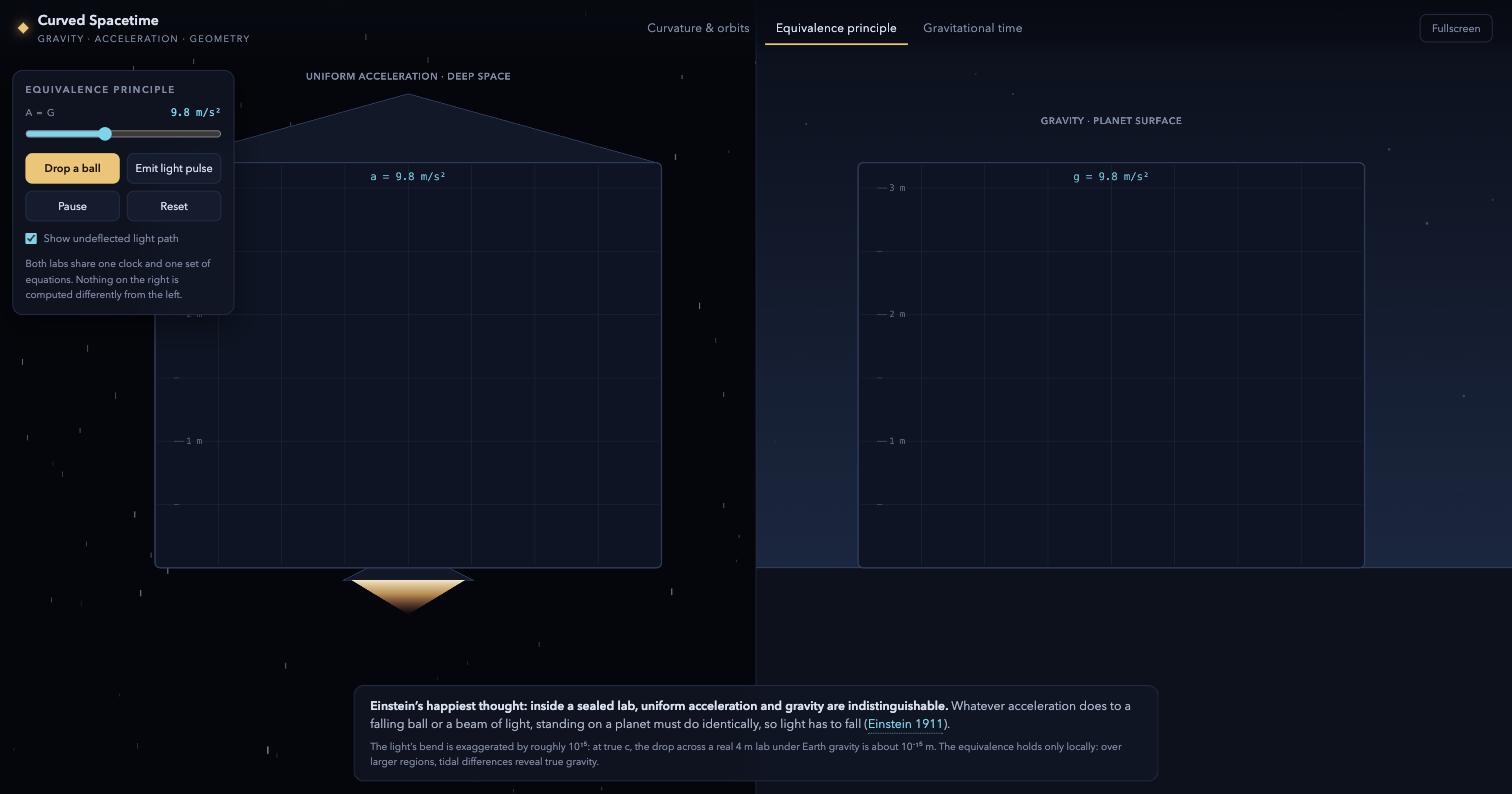
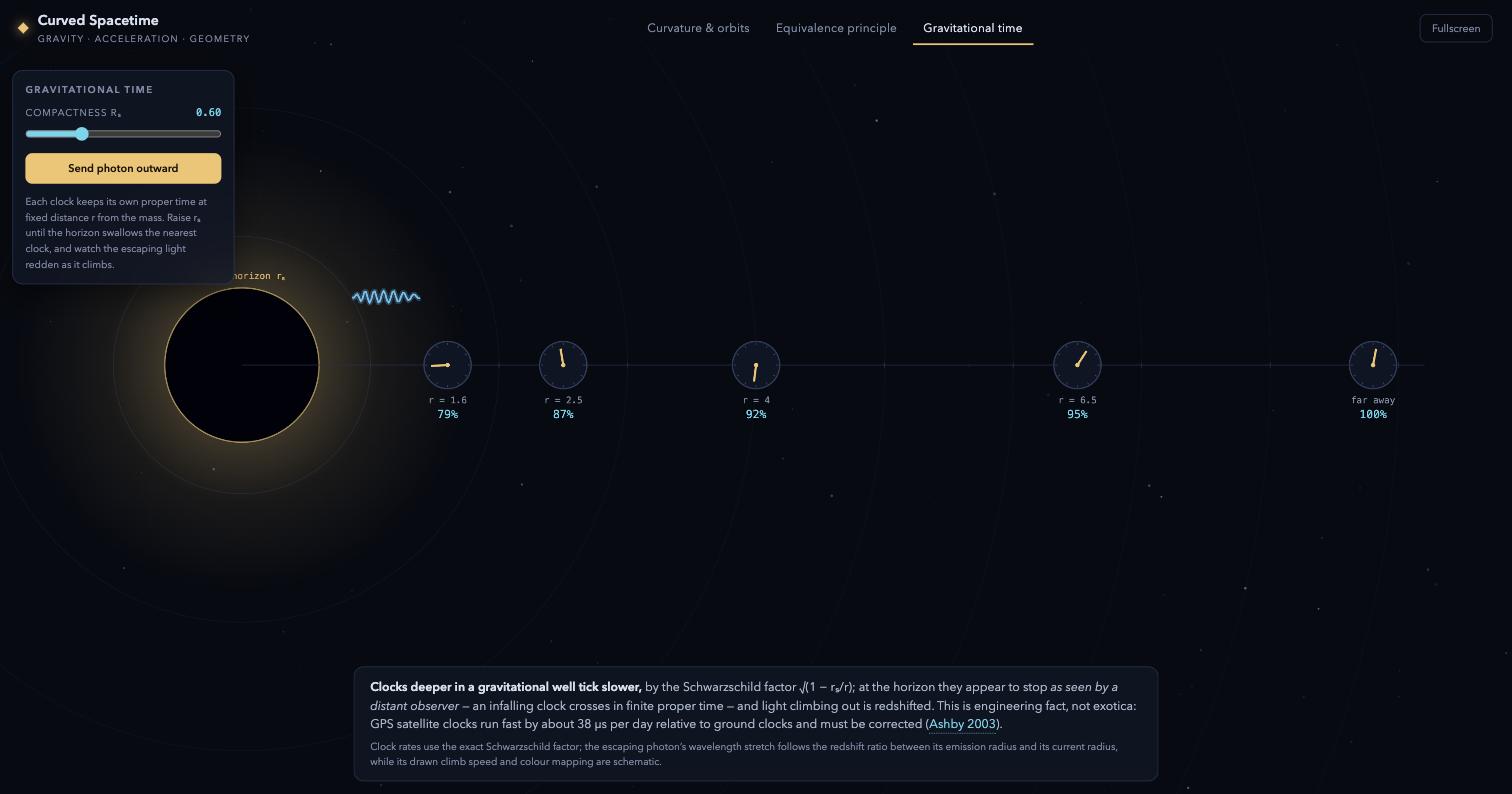
❯ Create an interactive animation that demonstrates Einstein's spacetime curvature due to gravity or acceleration, for demonstration purposes in a physics lecture, as a single self-contained HTML file.

LIVE · open the result one 51 KB file · zero network requests · and it is yours
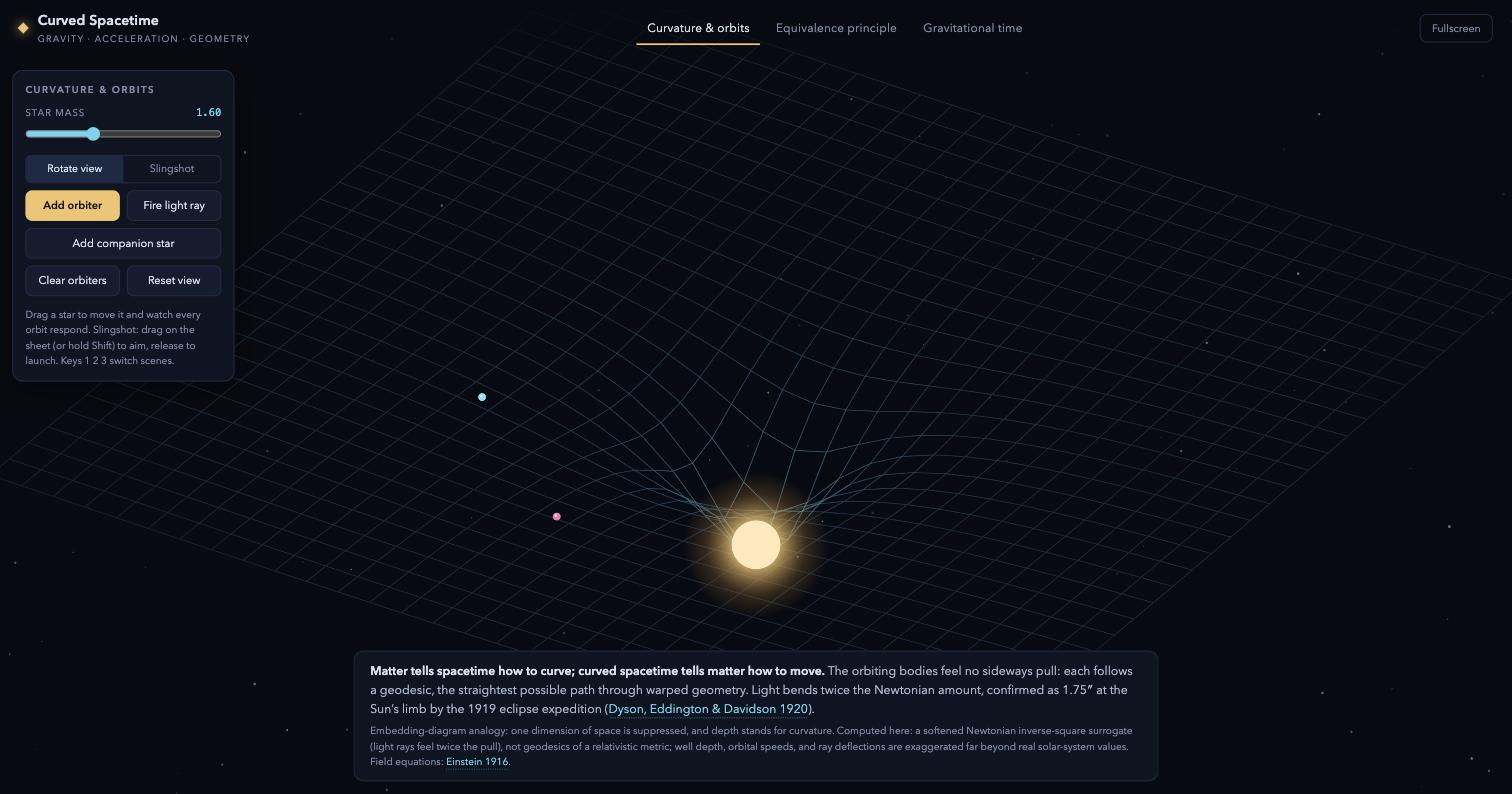
Curvature and orbits tab
curvature & orbits
Equivalence principle tab
equivalence principle
Gravitational time tab
gravitational time

Part I — See it work

Same request, different results

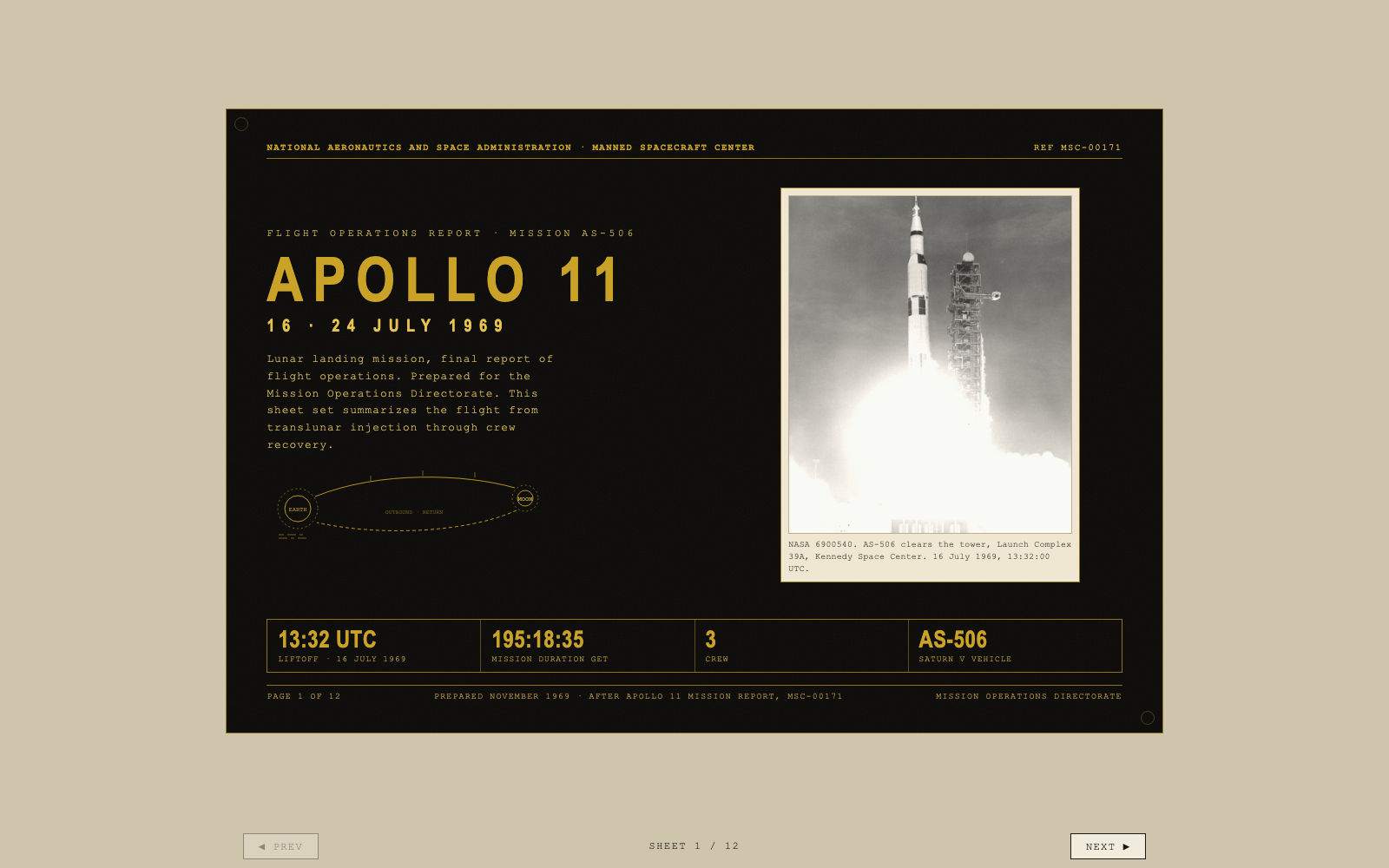
Apollo flight-ops deck, Fable 5 build
Fable 5 · click to preview
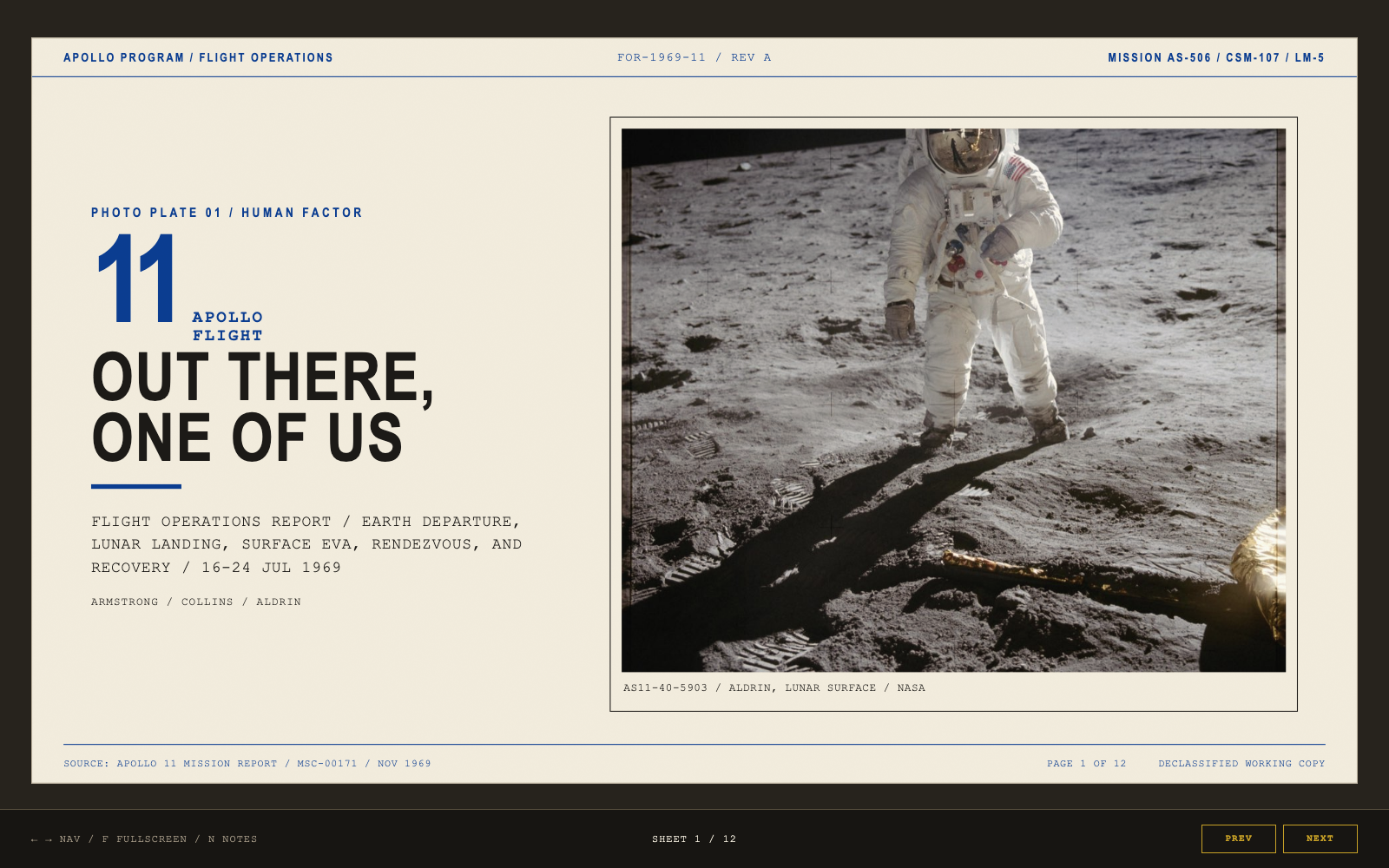
Apollo deck, GPT-5.6 Sol build
GPT-5.6 Sol · click to preview
# the shared work order, one prompt to both models (excerpt) Create a slide presentation that explains the Apollo program to a curious general adult audience. Produce a Marp-flavored markdown deck named deck.md … 11 to 14 slides … every date, name, and place must be accurate. … style: the Voyager Golden Record meets For All Mankind, season one.
models have character · later we route work by it

LIVE · ask two models to build it again
one prompt, two sessions · recorded above

Part I — See it work

Also one prompt

A working audio deck.

❯ ok, let's have some fun, let's write winamp

That was the complete prompt. One HTML file contains
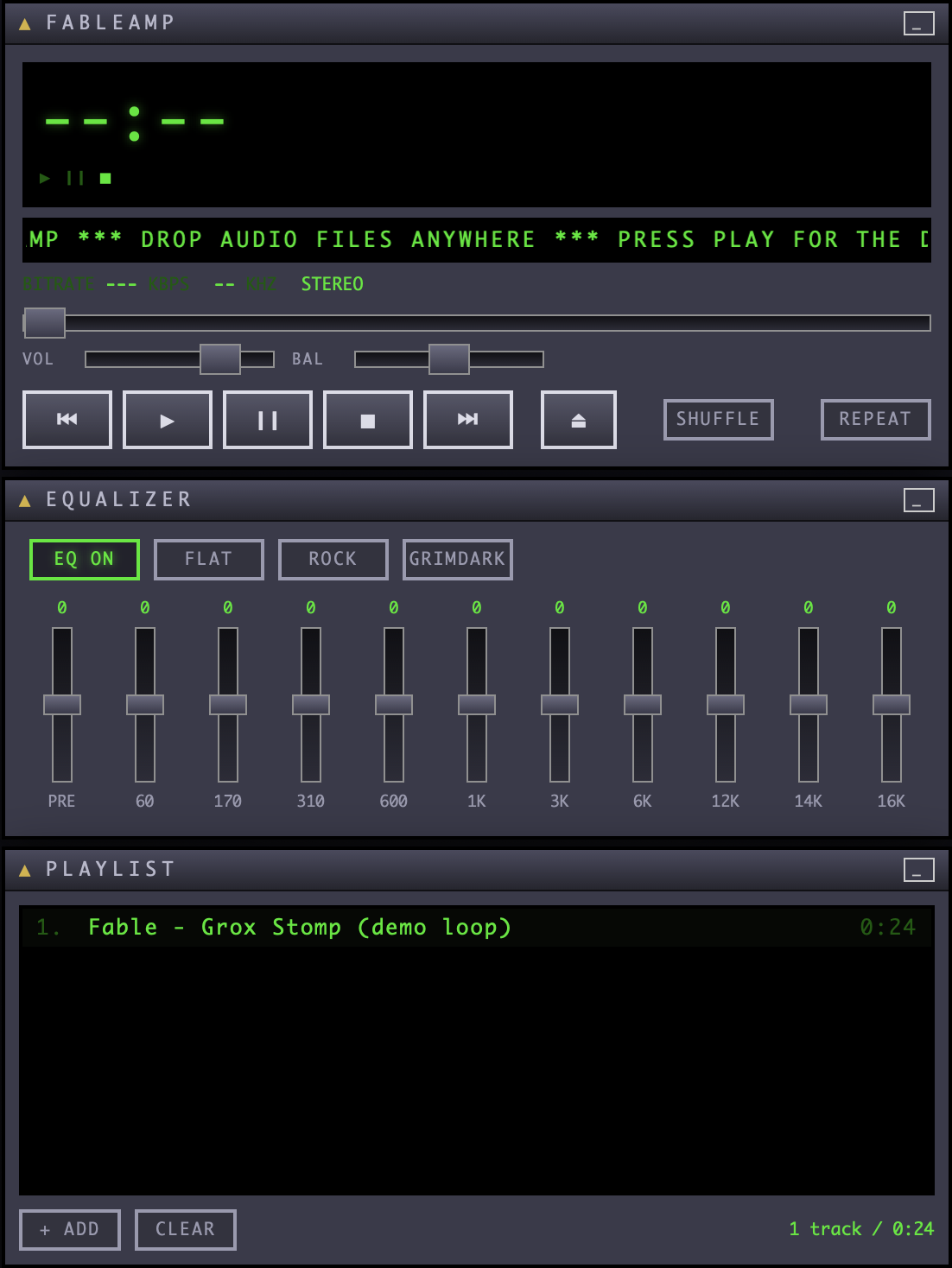
  • the audio processing,
  • a functional equalizer, the spectrum display,
  • the playlist, and a generated demo song.
LIVE · open and press play
FABLEAMP player, EQ and playlist

Part I — See it work

Models excel at redoing what's already been done

Part I — See it work

How do we build what's not out there?

"Life before The Claude™: building was capital-intense, you had to predict the future, experimentation was expensive."
common things lots of teams need buy it, it exists weird things only ten teams need nobody will ever sell you this

Part I — See it work

How do you harness the power?

A harness is a deterministic envelope around the model: Claude Code, Cursor, opencode etc.

promptLLMoutput Claude CodeCursoropencode CLAUDE.md.claude/rules/.claude/settings.json~/.claude/projects/ .cursor/rules/selected contextagent action log AGENTS.mdopencode.jsonsession store THE SAME LOOPTHE FILES THAT DIFFER three harnesses, one loop · the files differ, the mechanism does not

Docs: Claude Code · Cursor · opencode

Part I — See it work

Fan-out

One question, several agents.

LIVE · launch the fan-out recorded: agent teams in tmux · click the recording to enlarge
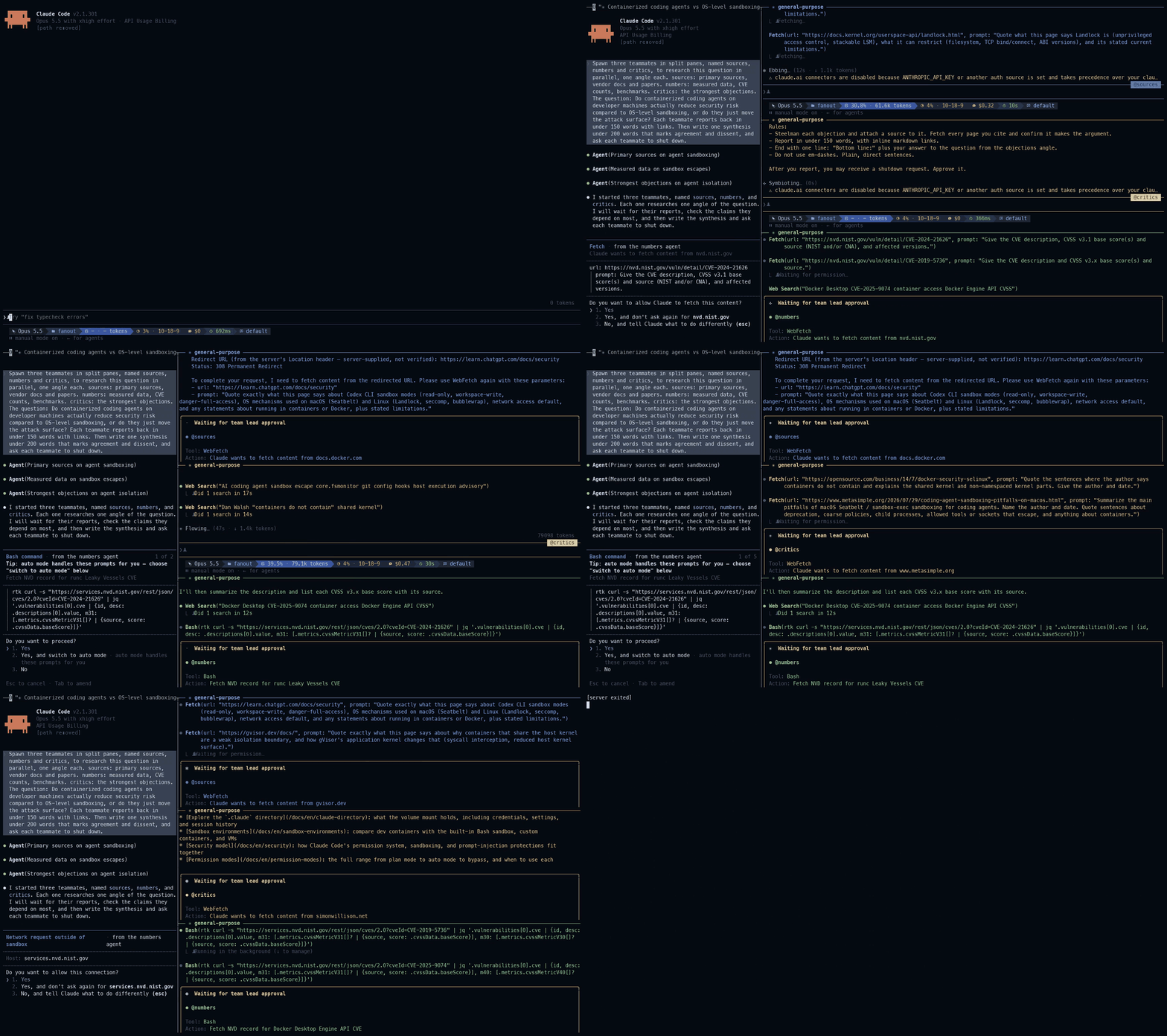
Recorded: Claude Code with agent teams in tmux split panes, three teammates named sources, numbers and critics research in parallel while the lead waits, the middle as a time-lapse, then one synthesis held at the end
❯ Do containerized coding agents on developer machines actually reduce security risk compared to OS-level sandboxing, or do they just move the attack surface?
three angles: primary sources, numbers, critics · one synthesis, agreement and dissent marked

Part I — See it work

Computer use

The agent drives a real browser.

LIVE · the agent drives the spacetime app in Chrome
recorded: Claude in Chrome runs this prompt · recorded: it types and formats a letter from Rivendell in Word

❯ Open the spacetime app. Switch to the gravitational time tab, increase the mass, and report how the clock rates change. Say what you did and what you saw.
three outcomes: success, safe failure, fabrication a missed control shows the recovery · the failure is shown on purpose

This slide deck was validated the same way: Claude Code and Codex both drove a browser through the slides at two projector sizes and reported what clipped and what needed work (validate/astra.sh in html-slides, the deck engine).

Part II

How it works

You saw one agentic loop, its tools, and a stop condition.
Now let's look at what lies underneath.

Part II — How it works

The only thing a model does is …

temperature and the related settings only change the distribution before the choice

Part II — How it works

Tokens

The model doesn't actually work with characters or words.
see OpenAI tokenizer · check this GIF recording here

the token table alone is 262,144 rows × 3,840 numbers: 1.0 billion of the model's 11.9 billion a context window is measured in these tokens, and so is the bill

Part II — How it works

What's model attention?

Each token reads itself and every earlier token.

the tokens and IDs in the figure are real · the line strengths are illustrative

Part II — How it works

One request

What the model receives when you press Enter.

# the body harness_skeleton.py sends, trimmed {"model": "google/gemma-4-12b-qat", "messages": [ {"role": "system", "content": "You are an agent…"}, {"role": "user", "content": "read data/…"}], "tools": [ {"function": {"name": "read_file", "parameters": {"type": "object", "properties": {"path": {"type": "string"}}}}}, {"function": {"name": "run_command", "parameters": {"cmd": "string"}}}]}

Source: public/demo/harness_skeleton.py · the chat window sends the same JSON without the tools key

Part II — How it works

From chat to harness

Same loop around the model, more machinery inside.

I · chat prompt LLM output you II · agent prompt LLM output("input") itself III · harness prompt LLM output toolspermissionsdata · agents context management "code around models"

Stage III, in daily use: Claude Code · Codex · Gemini CLI · opencode · pi · Antigravity · Cursor · Zed

Part II — How it works

Three disciplines

The line keeps moving outward: from the prompt, to the session tooling, to everything around it.

I · prompt engineeringwhat you say to one callII · agent engineeringthe loop · its tools · its stop conditionIII · harness engineeringpermissions · context · data · agents

Part II — How it works

Inside the model

this stack is the transformer · the T in GPT

Counts from the header of gemma-4-12B-it-Q4_K_M.gguf.
Papers: Attention Is All You Need (Google, 2017) introduced the design · Improving Language Understanding by Generative Pre-Training (OpenAI, 2018) named it GPT

Part II — How it works

Training

So where do the numbers come from? And how do 11.9 billion of them fit in 7.4 GB?

pre-trainingpredict the next token,over a corpus of text→ a base model that continues textpost-trainingthe same numbers, nudgedtoward preferred answers→ the -it model · nothing is appendedquantizationround each numberto about 4 or 6 bits→ 7.4 GB instead of 23.87.4 GB · the file23.8 GB · the same 11.9 billion numbers at 16 bits
10.9 B numbers live in the 48 layers · 1.0 B in the token table · 0.8 M in normalisation scales

Counts read from the header of gemma-4-12B-it-Q4_K_M.gguf with the gguf Python reader. 23.8 GB is 11.9 billion numbers at 16 bits.

Part II — How it works

How training works

Guess the next word, compare with the real one, nudge the numbers. Then teach it to answer.

pre-training · the whole corpus, one word at a timeThe mitochondria is thepowerhouse of the ▮▮▮▮hide the next wordthe model11.9 billion numbersits guess: body .40 cell .35the real word: cell → comparenudge the numbers a little toward "cell" · repeatpost-training · far fewer examples, written or judged by people❯ how do I list files?a prompt, and the answer people wantedthe modelthe same numbersA: Files are … B: ls -lapeople or a judge prefer B → nudge

Reading: Post-training methods (Red Hat) · LLM post-training primer (PyTorch)

Part II — How it works

When the loop stops

# the same loop, one more task ❯ fix the failing test in test_period.py tool_call read_file test_period.py tool_call run_command pytest -q # 1 failed tool_call write_file period.py tool_call run_command pytest -q # 1 failed DONE. The test now passes. # no tool call: the loop stops $ pytest -q FAILED test_mean_period # it does not
stop condition ≠ done condition

Part II — How it works

Inside a tool call

The harness checks every tool call.

LIVE · the schemas in the one-screen agent

The model never touches your shell. It sends a tool call. The harness reads it, validates it, asks your permission, and makes the system call. Most of the walls in this talk stand on that boundary.

Part II — How it works

Artifacts

The files on your disk.

# the user level · every project ~/.claude/ # instructions, every session CLAUDE.md rules/Deslop.md … # capabilities, loaded on demand skills/BuildSkill/ RTK/ … # your code between the steps hooks/gate-large-edits.sh # bundles of the above, installable plugins/ # permissions, sandbox, hooks settings.json # the workspace · one project ~/code/ai-tools-in-practice/ # the project's instructions CLAUDE.md AGENTS.md # a specialist, own prompt and tools .claude/agents/reviewer.md # the project's permissions .claude/settings.json # an artifact, it leaves the project public/slides/talk.html

Instructions are files. Capabilities are files. You can review them, put them in version control, and own them. The real ~/.claude listing

Part II — How it works

Key concepts

You probably heard these terms at one point, see the example below: five live inside the request, three in the harness around it.

the model · sees only this request{ "messages": [ {"role": "system", "content": "You are…"},system prompt {"role": "user", "content": "read data/…"}, {"role": "assistant", "tool_calls": […]},tool call {"role": "tool", "content": "2.01 2.00 …"},tool result {"role": "system", "content": "[summary…]"} ],compaction "tools": [read_file, mcp:github…] }MCPPOST /v1/chat/completions · rebuilt every turnmodel vs harnessthe model predicts text from this JSON, nothing elsethe harness builds the JSON and acts on the replyreplyresultthe harness · your machinepermission requestthe harness asks you firstsandboxwhat may run, and where · the OS enforces itsubagenta new loop the main loop starts · its result returnsthe looprequest → model → tool call → permission → sandbox→ tool result → appended → request …

Every term links to its page · glossary · settings

Part II — How it works

Claude Code

The same loop, as a mature product. Every feature is one line of the loop you typed.

A hook is one if before the tool runs. A skill is a file added to messages when needed. Docs: system prompt · tool catalog · permissions · context management · hooks · skills · subagents · the loop, read from the product: Claude Code, reverse-engineered

Part II — How it works

Compaction

The context window fills up. A summary replaces the history, and the detail goes with it.

context windows: Fable 5.1 · 1M, Opus 5.5 · 1M, GPT-6.1 Sol · 1.05M tokens every extra round of tool calls costs tokens and latency

Sources: Claude models · GPT-6.1 Sol · fetched 2026-10-20

Part II — How it works

Models lie confidently

Three ways to be wrong, and the sampler cannot tell them apart.

factuality
wrong about the world
faithfulness
wrong about the source it read
sycophancy
agrees with you, trained to

LIVE · local gemma4 fabricates three papers recorded · click to enlarge

❯ Cite three peer-reviewed papers on decoherence in double-slit interferometry by Czech authors. Give full DOIs.
real papers, or confident fiction · the DOIs decide
Recorded: a local gemma-4 answers the prompt with three papers, authors, journal, year and DOI each, in seconds; doi.org then answers 404 for all three
never trust and always verify · use tests, limit cases, and sources the model cannot invent

Part II — How it works

The boundaries stack

LIVE · dummy .env and blocked egress RECORDED · the rule, then the cage

web content is untrusted input → beware of prompt injection each layer answers a different question · one layer alone is not enough

Part II — How it works

Permissions

Allow, ask, deny.

LIVE · deny a dummy .env read

{ "permissions": { "allow": ["Bash(git status)", "Bash(npm test:*)"], "ask": ["Bash(git push:*)"], "deny": ["Read(~/.ssh/**)", "Read(**/.env)", "Bash(curl:*)"] } }
matchers
one rule for each tool and pattern · match one git subcommand instead of every Bash command

A denial is not a failure. A good agent moves to permitted sources. It returns its work in the reply, and it reports the checks it could not run.

Part II — How it works

The sandbox

Walls the OS enforces.

"sandbox": { "enabled": true, "filesystem": { "denyRead": ["./.env", "~/.ssh", "~/.aws", "~/.gnupg"], "allowWrite": [".", "$TMPDIR"], "denyWrite": ["./settings.json", "~/.claude/settings.json"] }, "excludedCommands": ["trash"] }

A denied write means the system is working.

Part II — How it works

The egress cage

Where bytes may go.

LIVE · blocked curl, one allowlist line, rerun

"network": { "allowedDomains": ["github.com", "registry.npmjs.org", "pypi.org"], "strictAllowlist": true } # the receipts, live: $ curl -I https://example.com # → DENIED, not listed $ curl -I https://pypi.org # → 200, allowlisted
Prompt injection path
Injected text → the agent reads it → it uploads code to a listed host. github.com and pypi.org accept uploads. The allowlist does not read content.
Protections
A short allowlist · a read-only token · writes wait for a person · personal data redacted

Part II — How it works

Hooks

Your code between the steps.

# settings.json · your command, wired at a seam "PreToolUse": [{ "matcher": "Bash", "hooks": [{ "type": "command", "command": "~/.claude/hooks/guard.sh" }] }] # the contract · JSON in on stdin, decision out on stdout {"tool_name":"Bash","tool_input":{"command":"rm -rf build"}} # in {"hookSpecificOutput":{"hookEventName":"PreToolUse", "permissionDecision":"deny","permissionDecisionReason":"destructive command"}} # out

Thirty-three hook events in the docs as of October 2026, from SessionStart to SessionEnd. Start with one guard. Add the next one after a failure shows the need.

Part II — How it works

The same hooks in multiple harnesses

One loop, so one set of moments. Each harness names them differently.

Claude CodeCodex CLIOpenCodepi
session startsSessionStartSessionStartsession.createdsession_start
prompt submittedUserPromptSubmitUserPromptSubmitnoneinput · before_agent_start
permission decidedPermissionRequestPermissionRequestpermission.asked · permission.repliedtool_call · block: true
before a tool runsPreToolUsePreToolUsetool.execute.before · throwtool_call
after a tool runsPostToolUse · PostToolUseFailurePostToolUsetool.execute.aftertool_result
compactionPreCompact · PostCompactPreCompact · PostCompactexperimental.session.compacting · session.compactedsession_before_compact · session_compact
the agent stopsStopStop · Interruptsession.idleagent_settled
session endsSessionEndSessionEndnonesession_shutdown
a cyan name can stop the action · the rest can only watch Claude Code and Codex share names and stdin JSON · OpenCode: a plugin · pi: an extension

Read from each tool's own reference on 19 October 2026: Claude Code hooks · Codex 0.163 hooks source · OpenCode plugins · pi extensions. none: no event in the docs.

Part II — How it works

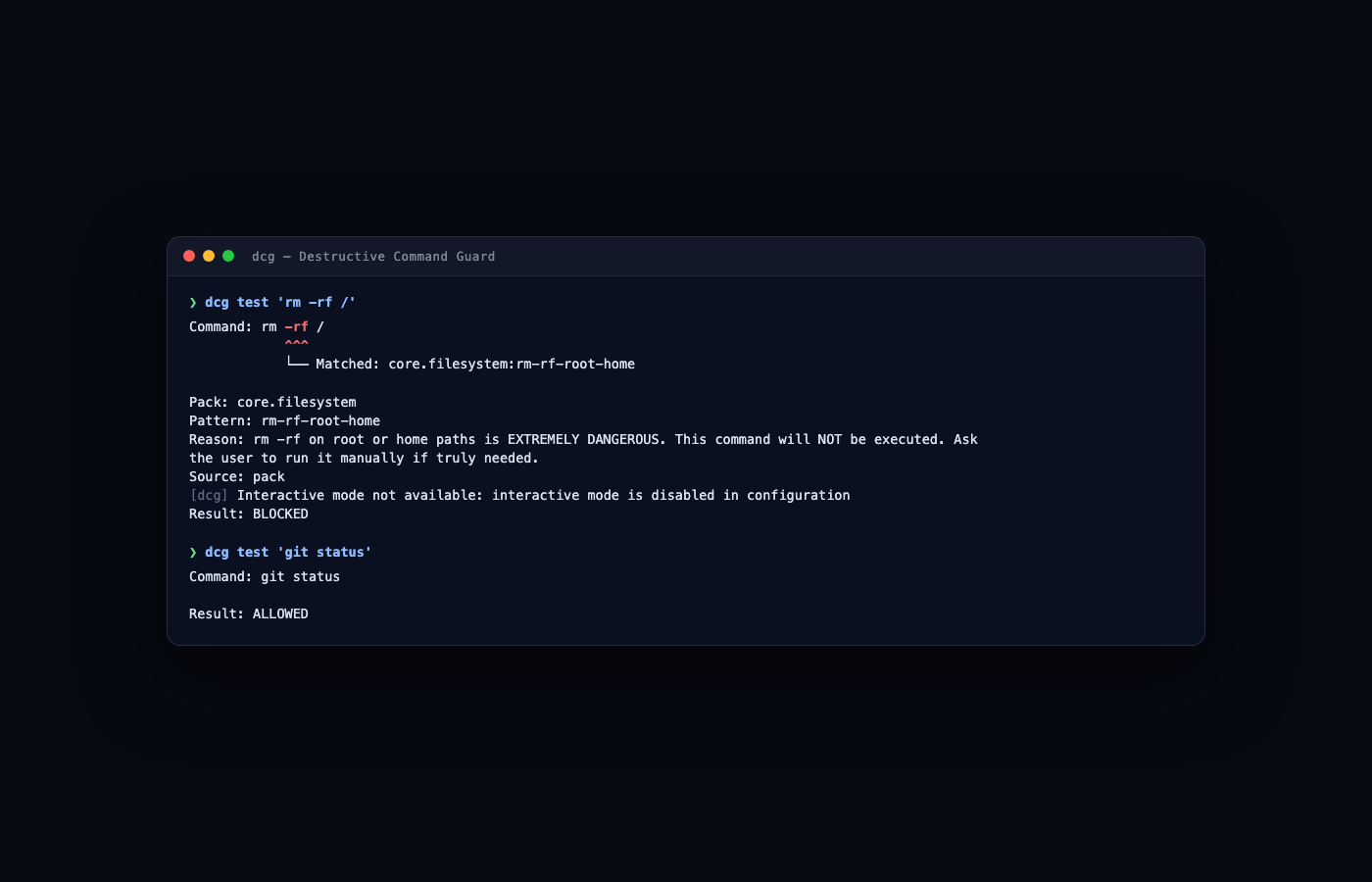
Guarding against dangerous commands

LIVE · ask for rm -rf in a throwaway clone

dcg
the destructive command guard runs under hooks.PreToolUse with the Bash matcher · it matches rm -rf, force-push, and reset, and blocks them before execution
layer order
prose gives direction · hooks and deny rules enforce · never weaken a lower layer for a higher one
one prompt under two policies behaves as two different systems this stack is one afternoon of work

Part II — How it works

OpenCode

The same controls on a different harness. Line for line.

Claude Code
// settings.json "permissions": { "allow": ["Bash(git status)"], "deny": ["Read(~/.ssh/**)"] }, "hooks": { "PreToolUse": [{ "matcher": "Bash", "hooks": [{ "type": "command", "command": "guard.sh" }] }] }, "sandbox": { "network": { "allowedDomains": ["github.com"] } }
permissionshookssandbox
OpenCode
// opencode.json "permission": { "*": "ask", "read": { "~/.ssh/**": "deny" } }, // guard.ts · a plugin export const Guard = async () => ({ "tool.execute.before": async (i, o) => { if (isDestructive(o.args)) throw new Error() } }) // no sandbox block // the container is the wall
the one difference: OpenCode applies the last matching rule · Claude Code lets deny beat allow

Any OpenAI-compatible endpoint is one provider entry, which is how a local LM Studio or Ollama server plugs in. Instructions live in AGENTS.md. Docs: opencode.ai/docs · providers · permissions · plugins

Part II — How it works

Using all the guard rails

telemetry
it records every session, logs every command, shows dashboards, and permits an undo
review bot
a second model reads every change before a human does
the theater test
a limit is real only if the model cannot argue with it. Kernel walls, deny lists, and guards are real. Prose that repeats them is decoration, and decoration is what drifts.

Telemetry records what happened. The walls above it do the stopping. To audit a cage, name what enforces each limit: the kernel, a hook, a deny rule, or only a sentence.

Part III

Make it work

You can now define seven terms: harness, tool call, permission, sandbox, egress, hook, and compaction. Now we use them.

Part III — Make it work

Instruction files advise, hooks enforce

one rule to include: finish the whole task, and say what was left out if nobody reviews the instruction file, nobody agreed to the policy

Part III — Make it work

Start small

One small verified change is better than one large impressive change. Every pattern on this slide works the same way for everyone here.

Part III — Make it work

Vibecoding, honestly

regenerate until it looks right: a slot machine. Unpredictable rewards make it hard to stop generation without a test is only sampling · verification stops the gambling

Part III — Make it work

Where agents move people on the map

Part III — Make it work

How much care does this code deserve?

the code that can hurt someone "People could die" "I'll get fired if it doesn't work" "I'd like for this to work" "I'd rather die than read this" verify: everything you have verify: tests + review verify: run it verify: skim most of the code you accept

The verification effort follows the stakes. Put each piece of code on this line first. Then decide how much of the funnel it gets.

Part III — Make it work

Authenticity theater

honest attribution lives in the log: the agent is the named author, a human commits put the human signature where it has meaning · the review, the seal, and the merge this is the mirror of security theater · both decorate and neither enforces

Part III — Make it work

The new division of labor

A failure mode to audit for: an always-loaded instruction names a scanner that does not exist. The model follows it in every session and has no reason to report it. Only a human audit of the file finds it. A live review thread, agent-run: runedeck/skeleton#1.

Part III — Make it work

Find the bugs in my PR

Each finding is a proposal until a person checks it.

LIVE · the review prompt

Review before you authorRead-only · no writes

Illustrative. No recorded run stands behind this figure: the defects are planted, and the checks are plain Python a person runs.
Run the same read-only review on your next PR: codex exec --sandbox read-only

Part III — Make it work

Disagreement

Models tend to be agreeable. They might need a push to become adversarial.

# paste into a fresh session, with the plan or the diff, and nothing about what you think of it Take the opposing angle. Assume this plan fails in production. Give the three strongest reasons, each with the evidence that would prove it, and say which one you would check first. Do not soften any of them.
the same move, as a skill: three hostile angles in parallel, every hit bound to a quoted line

Part III — Make it work

One claim, one source, one verdict

every other claim in the deck: unchecked until someone compares it with its source a reviewer's output is a claim too · it gets the same check

The smallest unit of verification. Apply this check to each finding and to the fan-out results next. Source: NASA, July 20, 1969: One Giant Leap For Mankind

Part III — Make it work

Fan-out

The results are in, from the run we launched on the first Fan-out slide.

LIVE · back to the fan-out session

Apply the claim, source, and verdict check to the synthesis. Separate sessions can catch different errors. Agreement still needs a check against a source.

Part III — Make it work

Secrets hygiene and CI parity

the allowlist names every host that gets bytes, the model provider included a difference between the local checks and CI removes trust first

Part III — Make it work

Where your code goes

Every request sends your context to whoever runs the model.

Where the model runsTrains on itKeeps itWhere it runs
Anthropic API, Claude for Workno, by defaultdeleted within 30 days · zero retention by agreementglobal, or US only
Claude Free, Pro, Max, with Claude Codeonly if you allow itconsumer terms · no zero retentionglobal
OpenAI API and business plansno, by defaultup to 30 days for abuse checks · zero retention on requestEU processing for eligible customers
A local modelnoyour diskyour machine

Web tools run on the provider's side too. WebSearch and the API web fetch run on Anthropic's servers, Codex web search is hosted by OpenAI, and Claude Code's WebFetch sends each page through a model call. None of them reads your sandbox allowlist.

Sources, read 21 Oct 2026: Anthropic training · Anthropic retention · Anthropic regions · Claude consumer plans · OpenAI enterprise privacy · OpenAI data controls · Claude Code web tools · API web fetch · Codex web search

Part III — Make it work
Tools worthy of your attention

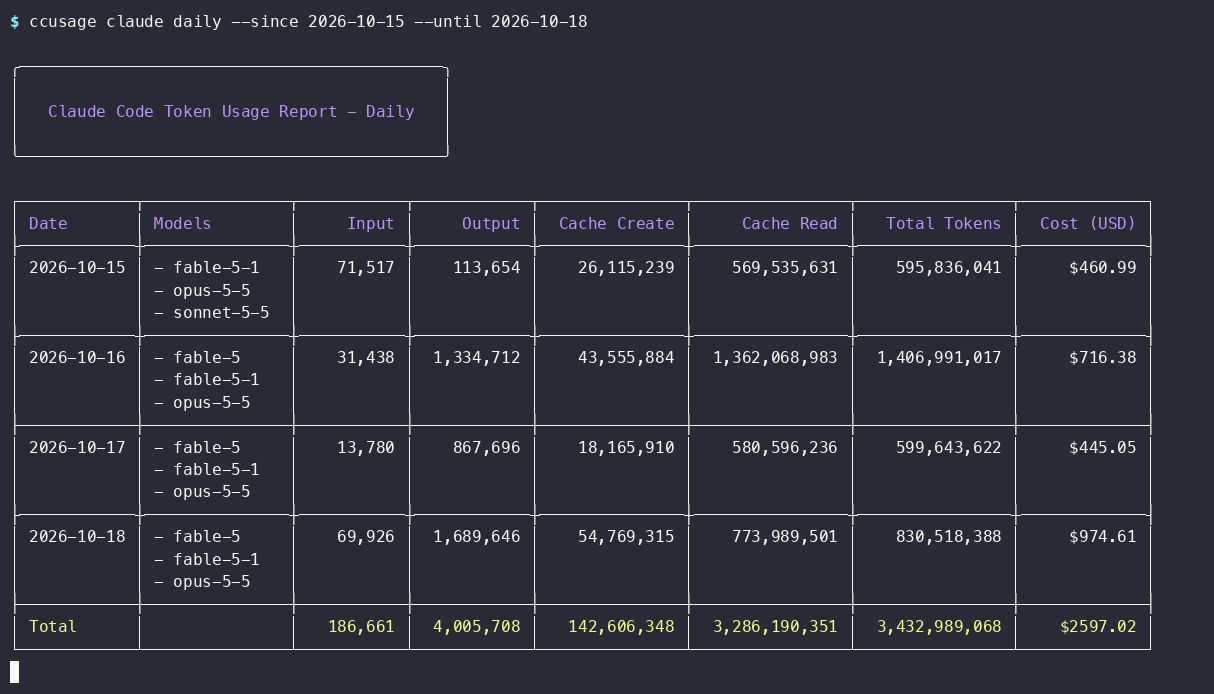
ccusage daily report for Claude Code, 15 to 18 October 2026, the last frame of the recording
ccusage · know what you burn · Claude Code only, 15 to 18 Oct 2026, recorded · project
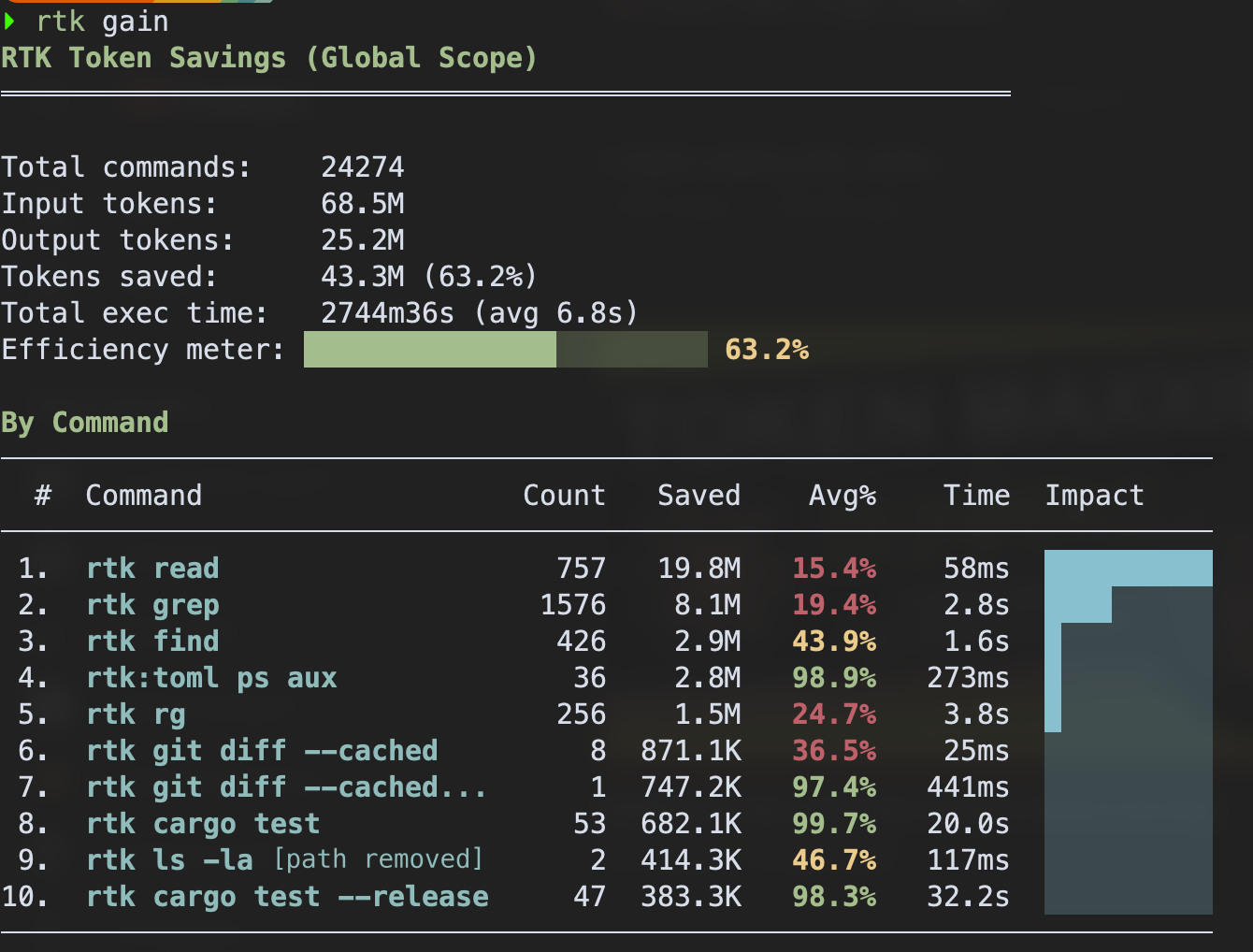
rtk gain report
rtk · burn less · 43.3M tokens saved on the author's machine · project
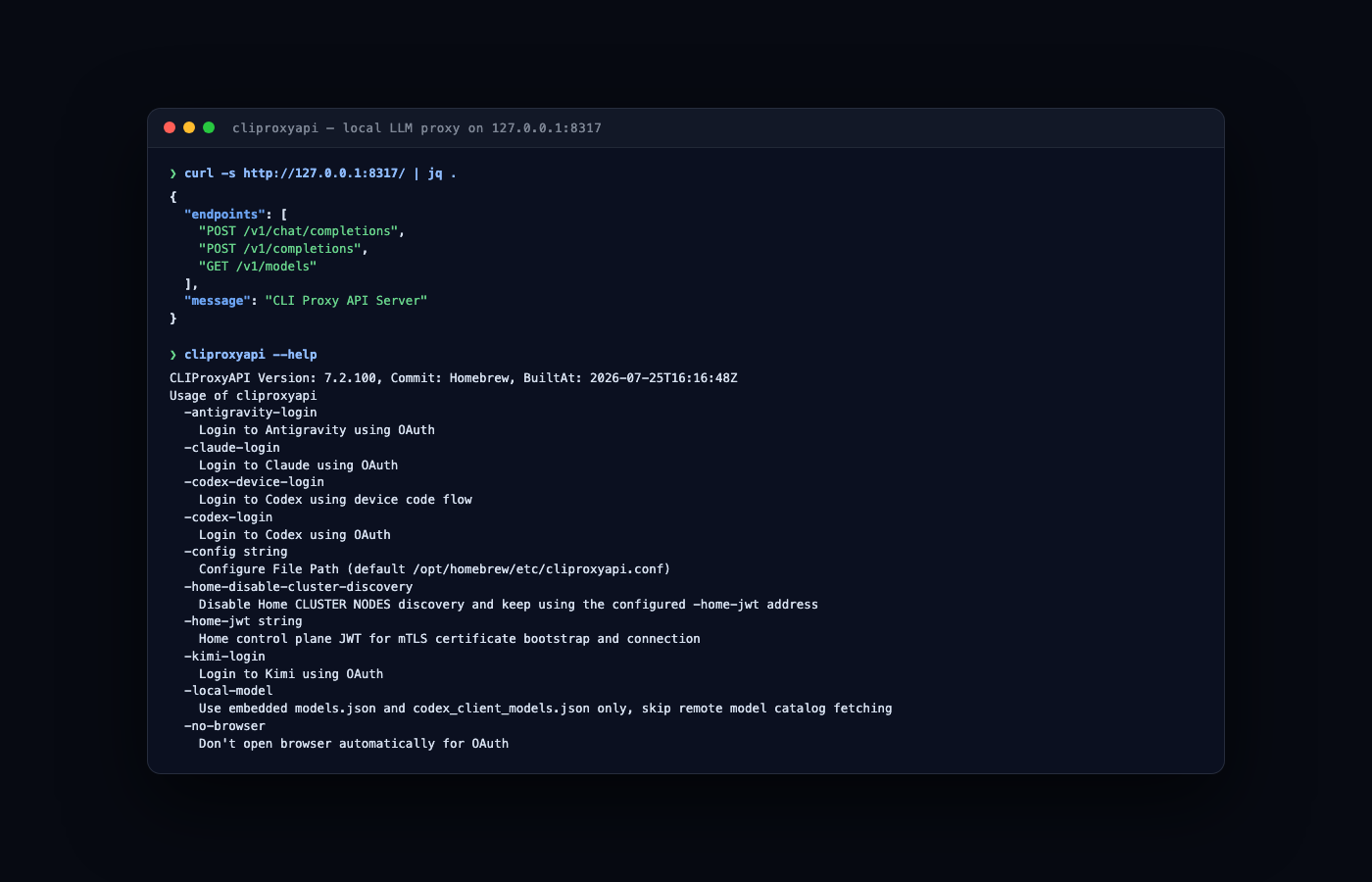
cliproxy
cliproxy · choose what burns · project
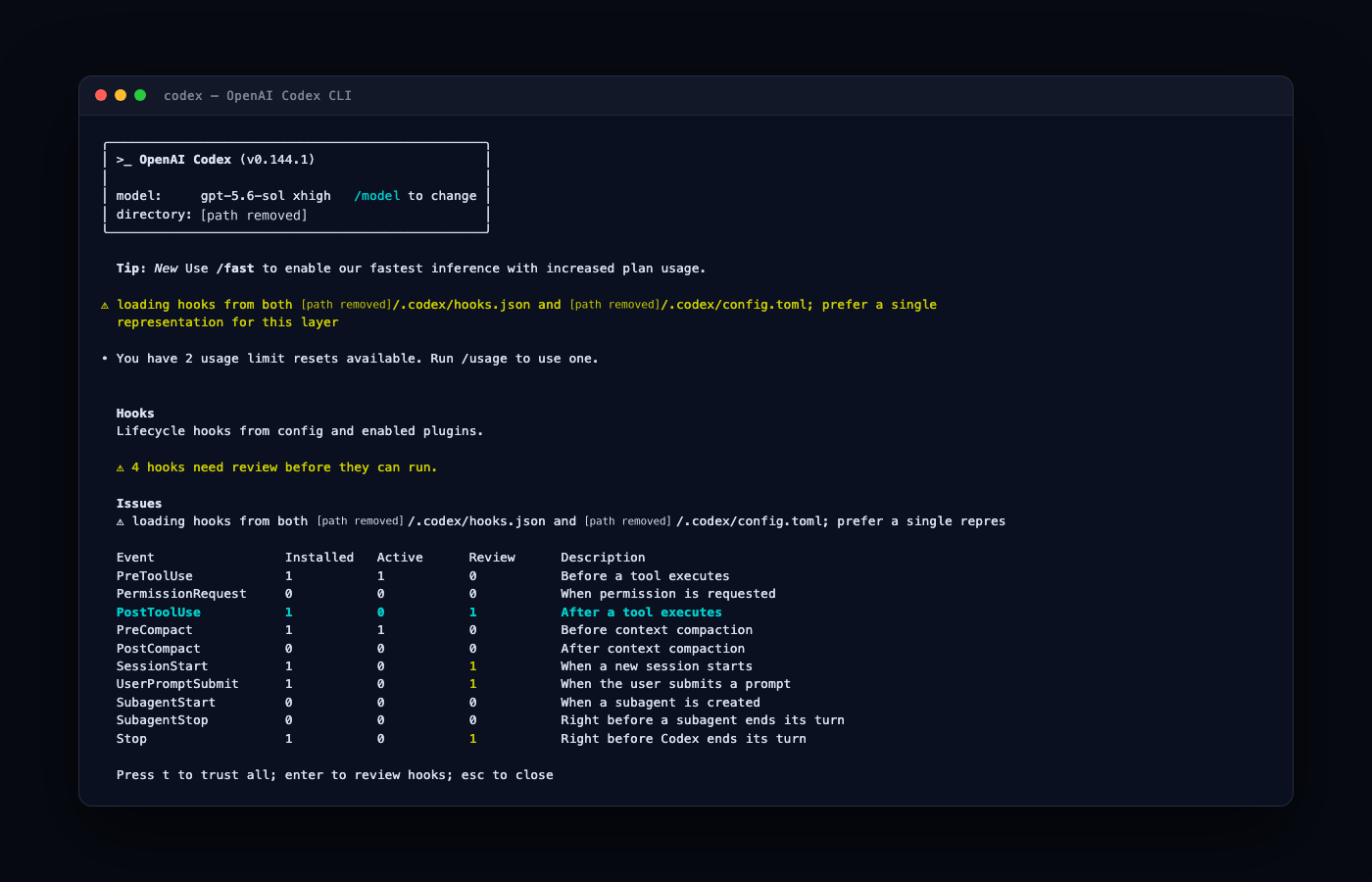
codex
codex · the second opinion · project
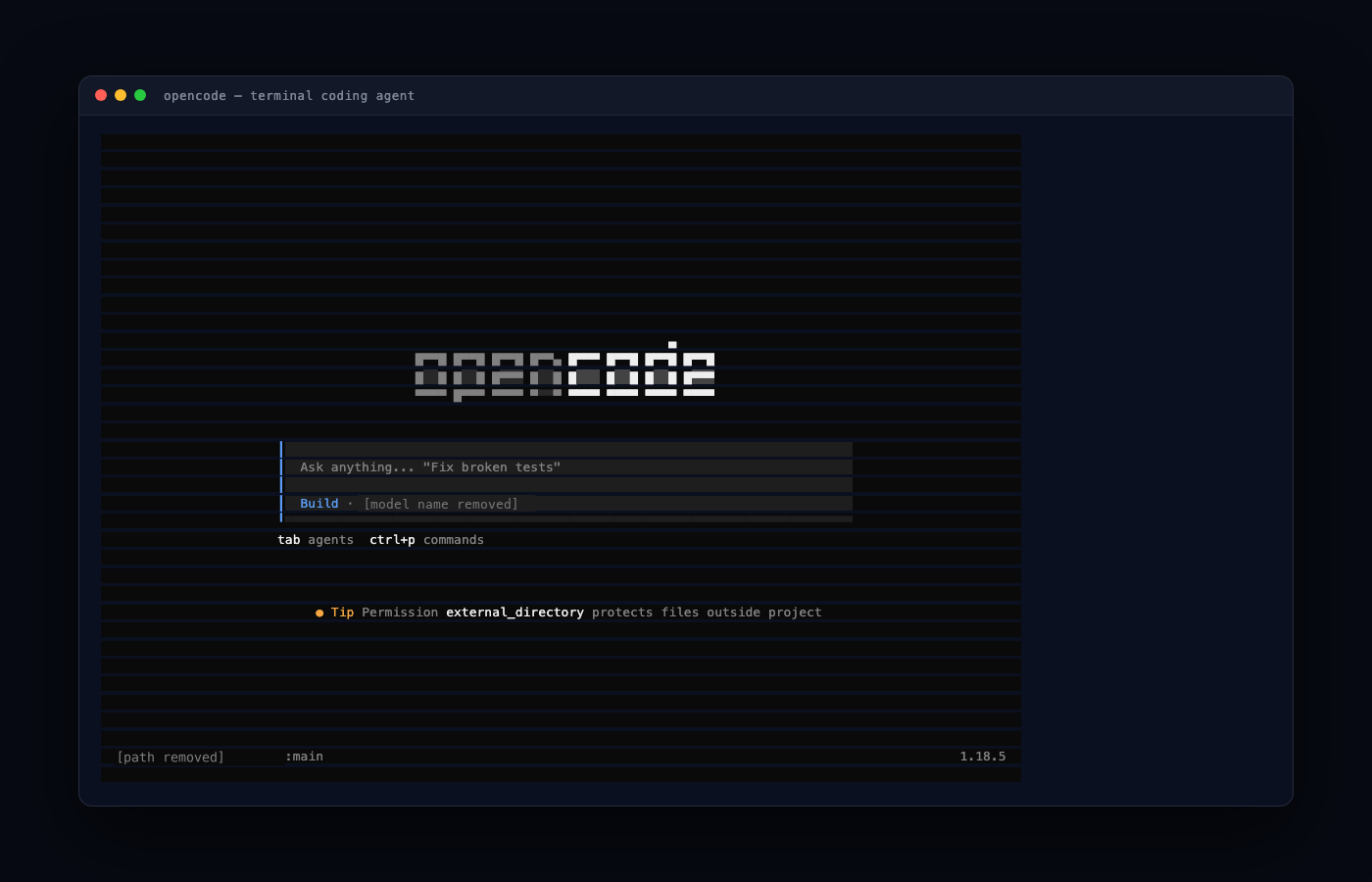
opencode
opencode · many models, one TUI · project
dcg
dcg · the last wall, rm -rf blocked · project

Measure, reduce, route, cross-check, and guard. The project link is below each card. Each one installs in minutes.

Part III — Make it work
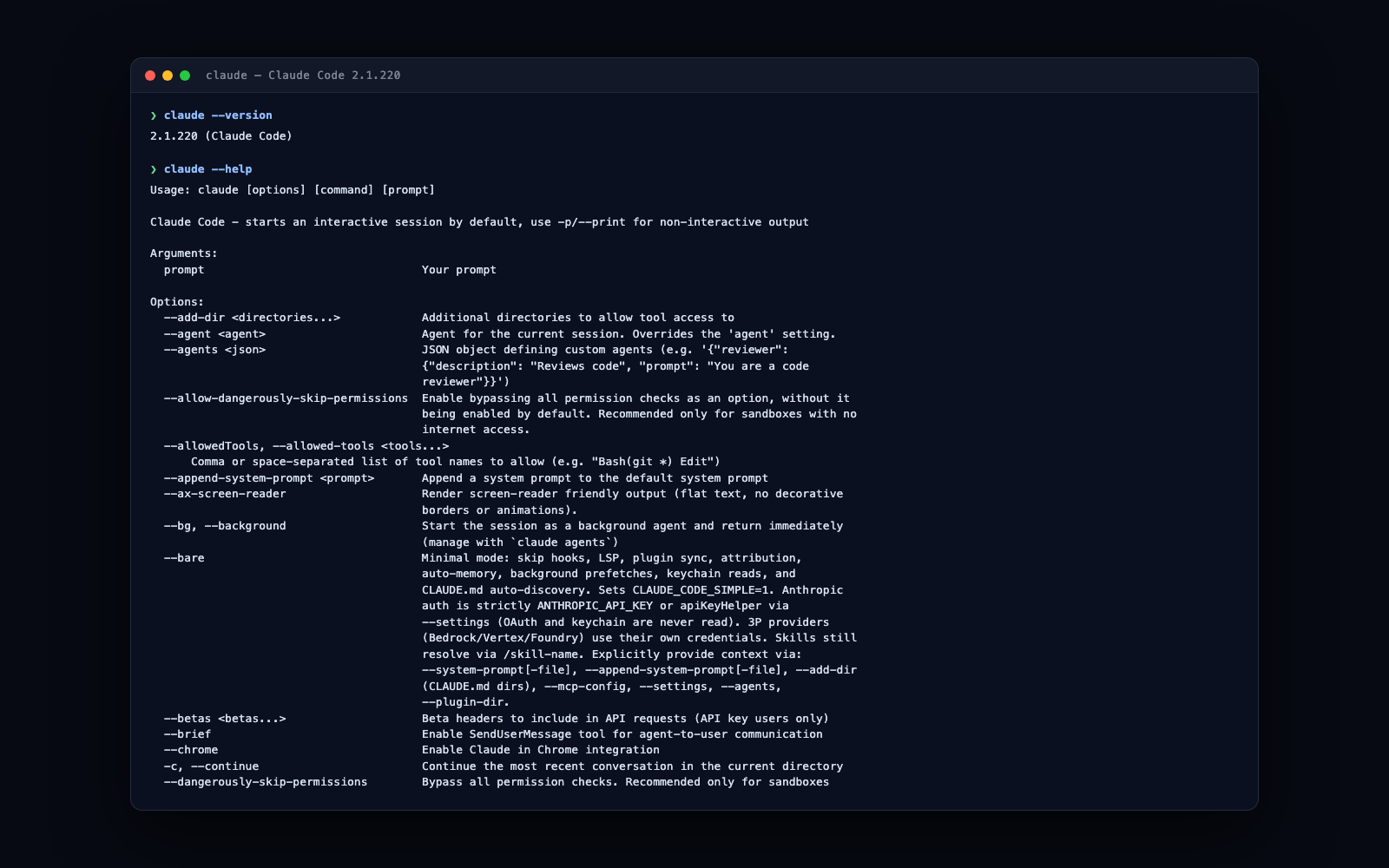
Where agents live, AI ecosystems

Claude Code in the terminal
terminal · the native habitat · everything in this talk ran here
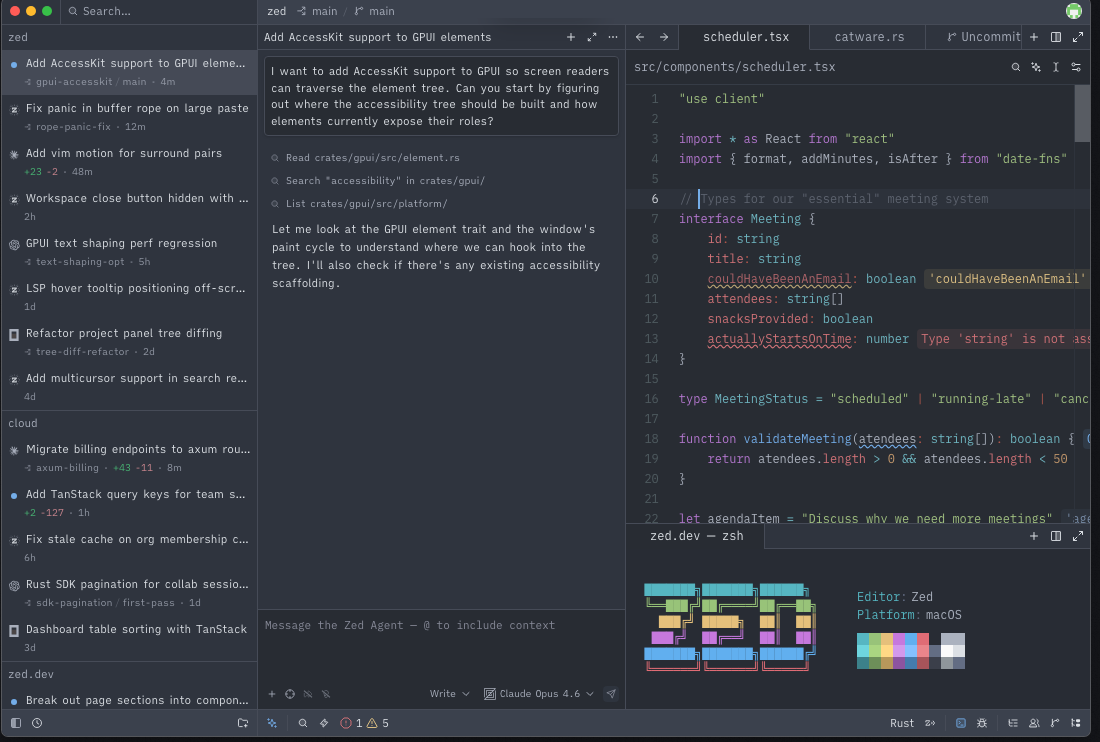
Zed agent panel
Zed · agent panel, external agents over ACP · zed.dev
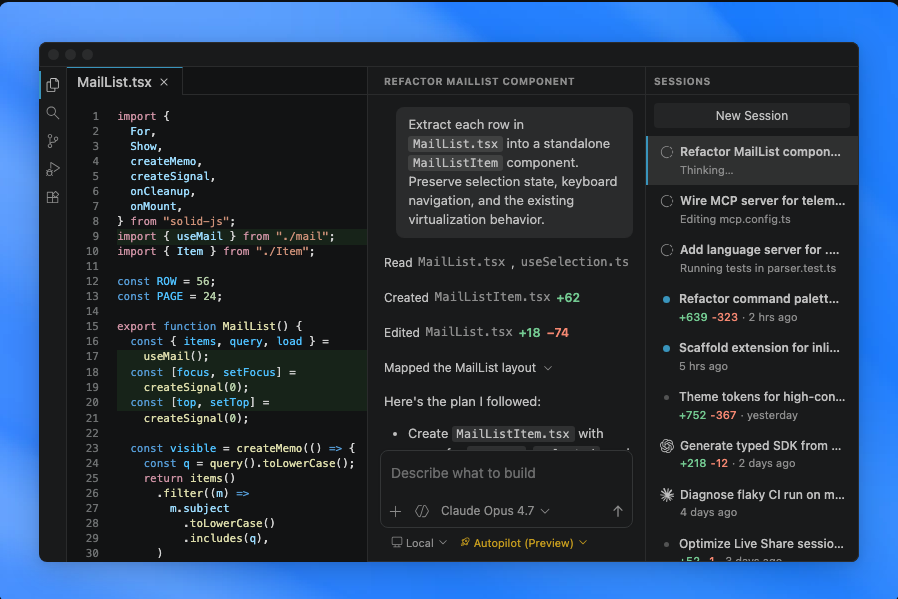
VS Code agent mode
VS Code · same loop, familiar chrome · docs

The editor is a matter of comfort. The harness below it is the same machinery.

Part III — Make it work

An environment that works

Essentials
  • a terminal you like
  • a ten-line tmux configuration: the mouse on, a good prefix, deep scrollback
  • a notification hook, so you do not watch the agent to know it finished
Optional
  • git worktrees or jujutsu (jj) for parallel work
  • dotfiles under version control, so the setup reproduces

One documented minimal setup that works is better than ten clever setups that might work. A tmux configuration that fails, and we repair it here.

Part III — Make it work

Parallel agents need parallel working copies

docs · agent teams · experimental · flag CLAUDE_CODE_EXPERIMENTAL_AGENT_TEAMS=1

The project folder for this deck runs colocated jj over git. The parallel agents that built this deck worked in that way.

Part III — Make it work

How jj handles agent work

Both sides replayed from real runs, git 2.54.0 and jj 0.46.0 · docs: conflicts · git command table · git compatibility

Part III — Make it work

GitHub ceremonies

One real PR, replayed from GitHub. The track and ledger follow the same events.

Source: the real PR, GitHub timeline, reviews and comments, July 26 to August 1, 2026. Names are generic. This PR merged without an owner seal.

Part III — Make it work

Subagents help divide the work and the context

Fork mode is on by default: Claude can fork on its own · docs: subagents and forks · subagents and the cache

Part III — Make it work

Skills, and where they come from

LIVE · custom agent vs bare fetch, same question

--- name: pr-summary description: Summarize changes in a pull request context: fork agent: Explore allowed-tools: Bash(gh *) --- ## Pull request context - PR diff: !`gh pr diff` - PR comments: !`gh pr view --comments` - Changed files: !`gh pr diff --name-only` ## Your task Summarize this pull request...

One markdown file is the complete skill. The frontmatter declares the agent and the tools it may run without asking. Each gold !`…` runs a shell command before the skill reaches the model, and the command's output takes its place: docs · inject dynamic context.

Part III — Make it work

The frontier, priced

Every published row of CursorBench 4.0. The gold Pareto frontier marks the best score at each price.

Jev · typed decisions, no code · no CursorBench score · $0.042 / M input tokens

Sources: cursor.com/cursorbench, CursorBench 4.0, fetched 2026-10-20 · cost per task applies each model's published token prices to the tokens it used · Jev: TypeSafe launch post, Sep 15, 2026

Compare: Slopalytics plots cost per task against an intelligence index, with a Pareto line. Data: Artificial Analysis.

Part III — Make it work

Choosing the right model

A /model switch mid-session busts the prompt cache. The next turn pays full price for the whole history.

A cache write costs 1.25x the base input price (5-minute cache) or 2x (1-hour). A hit costs 0.1x on most models, 0.05x on Opus 5.5 and Sonnet 5.5, and 0.025x on Fable 5.1. Sources: prompt caching, API · prompt caching, Claude Code

Part III — Make it work

Models and harnesses route independently

one harness model A · plansmodel B · executesmodel C · reviews one brief harness Aharness Bharness C

Part III — Make it work

Trust nothing, measure

24 particle-physics questions, 10 runs each: 240 answers per model. A script checks every answer. No model grades another.

source: local benchmark dashboard, suite tier1-physics, run m1, 28 July 2026, run locally · method: the test plan · the dashboard shows /480 because its data lists every answer twice. The rates are the same.

Part III — Make it work

One artifact, two review depths

quick passone council, 12 minutes
“unusually accurate”
the full timeline verified
adversarial roundsthree rounds, 15 minutes more
11findings survived
nine established, two likely
4 weak accusations removed

Examples since corrected: propellant 85% vs 92% · moonwalk photo called a splashdown party · “as transmitted” over [a] · planned 195 h 19 m vs 195:17.

Review decay, another review: R1 found faulty loop code. R2 added five fixes. R3 found no new defects.

Unpublished sources: Apollo council record, 29 July 2026, four specialists, three rounds. Ten of the eleven are fixed. The coast label now says 1.8 rev. The council found about 1.73. Review decay: a review of an earlier draft of this talk, 28 July 2026. Make each reviewer pay for a wrong accusation.

Part III — Make it work

Security review: a pipeline, stage by stage

One pinned commit, one primary review, a panel whose members cannot see each other, and a reconciler that checks every verdict against the source.

Schematic. Reviewer outcomes are illustrative. No report is linked. The report format is the OASIS SARIF 2.1.0 standard, read 21 Oct 2026.

Part III — Make it work

Operating habits

auto-accept removes permission prompts for speed. Hard deny rules and the sandbox still apply

Part III — Make it work

The four objections, and where they landed

“our code leaves the machine”

Name the boundary

Code can reach the model provider. The allowlist limits destinations. Listed destinations receive the data the agent sends.

“it deskills
engineers”

Practice verification

You remain accountable. Write tests and probes that could prove the model wrong.

“it's hype”

Inspect the evidence

The early demos combine known work. The CursorBench chart compares scores with average cost per task.

The linked deck sections supply the evidence for each answer.

Part III — Make it work

Managed AI environments

Agents in contained sessions.

Public reference · anthropics/claude-code dev container

# one container, one egress firewall $ git clone \ https://github.com/anthropics/claude-code # VS Code: Reopen in Container $ claude # inside the container

A practice task

A tiny tip-split utility has a rounding bug.
Make the per-person charges sum to the bill.
Add a check.

Other harnesses can run in the same container.
The firewall does not change.

Reference shape, not a recording. Sources, read 21 Oct 2026: the reference dev container with its egress firewall · bubblewrap in the Claude Code sandbox on Linux · the bubblewrap README.

Part III — Make it work

The broker

Keys stay out of the cage.

Who holds whatThe cageThe broker
GitHub tokenNo GitHub tokenThe broker keeps it here
Scoped keyThe session holds this keyThe key allows only the reads the policy lists
Write policyThe scoped key cannot change itA write needs human approval
Without a scoped key, the session cannot call the broker.

Pattern, not a recording. The table shows who holds which credential.

Part III — Make it work

Prove it

Test each wall alone. A check you did not run is not evidence.

Write these checks for your own cage. Each one must fail when its wall is removed. Sources, read 21 Oct 2026: the non-root user, the managed settings file and the firewall in the dev container docs · the bubblewrap README.

Part III — Make it work

Adopt in layers

Choose a layer. Keep its check.

Each layer stands alone.Adopt any subset.
LayerWhat to addDone when
SettingsNo container deny rules and a sandbox allowlist in settings.json The .env read is denied.
The off-list curl is blocked.
HooksEvery call, every commit dcg as a PreToolUse hook
gitleaks in prek
rm -rf is blocked before the shell.
A planted fake key fails the commit.
The cageDev container the reference dev container with its egress firewall From inside, an off-list host fails
and a listed host answers.
The brokerOutside the cage tokens live in a broker outside the container env inside shows no code-host token.
A write waits for a human.

Install: a real terminal, and Docker for the cage.

Broker: you bring your own tokens.

Sources: Claude Code docs, settings and dev containers · dcg · gitleaks

Part III — Make it work

claim → artifact → check → contradiction → iterate

You saw the loop: the one-screen agent, the invented citations, the denied reads, the reviewed diff. That loop is the complete method. Use it on your next PR.

Part III — Make it work

Next steps

start with one layer and its check

Each step links to the slide that shows it.

Part III — Make it work

References

Benchmark numbers quoted from CursorBench 4.0, fetched 2026-10-20. All materials and prompts: this repo.

Part III — Make it work

Glossary

The words the day leaned on, in the words the slides used.

modela frozen set of trained numbers that predicts the next token
tokenone piece of text with an ID that selects a row of the token table
context windoweverything the model can read for one request, of a fixed size
attentioneach token weighs itself and every earlier token
hallucinationconfident output that is false, or drifts from its source
agenta model in a loop that can use tools and check its own work
harnessthe code and system prompt around the model: context, tools, permissions, state
system promptinstructions the harness puts at the start of every request
tool callstructured model output that asks the harness to run a tool
compactionthe history replaced by a model-written summary to free space
permissiona rule that allows, asks about, or denies a tool call
sandboxan isolated environment for what runs and where: OS boundary, container, or VM
hookyour code at a seam of the loop, before or after a step
skilla capability kept out of context until the agent needs it
subagentan agent started in its own context that can start its own, only its result returns
MCPa protocol that connects a harness to external tool servers

The full glossary, every term with the slides that use it: glossary.html, generated from the deck's own ontology, talk.ttl. Click a term to open its entry. Compare the terms with the AI Coding Dictionary. Some definitions may differ. Terms that rune also defines link to the rune ontology.

❯ Hey, Fable, find mistakes in my PhD thesis